Adding Team Members
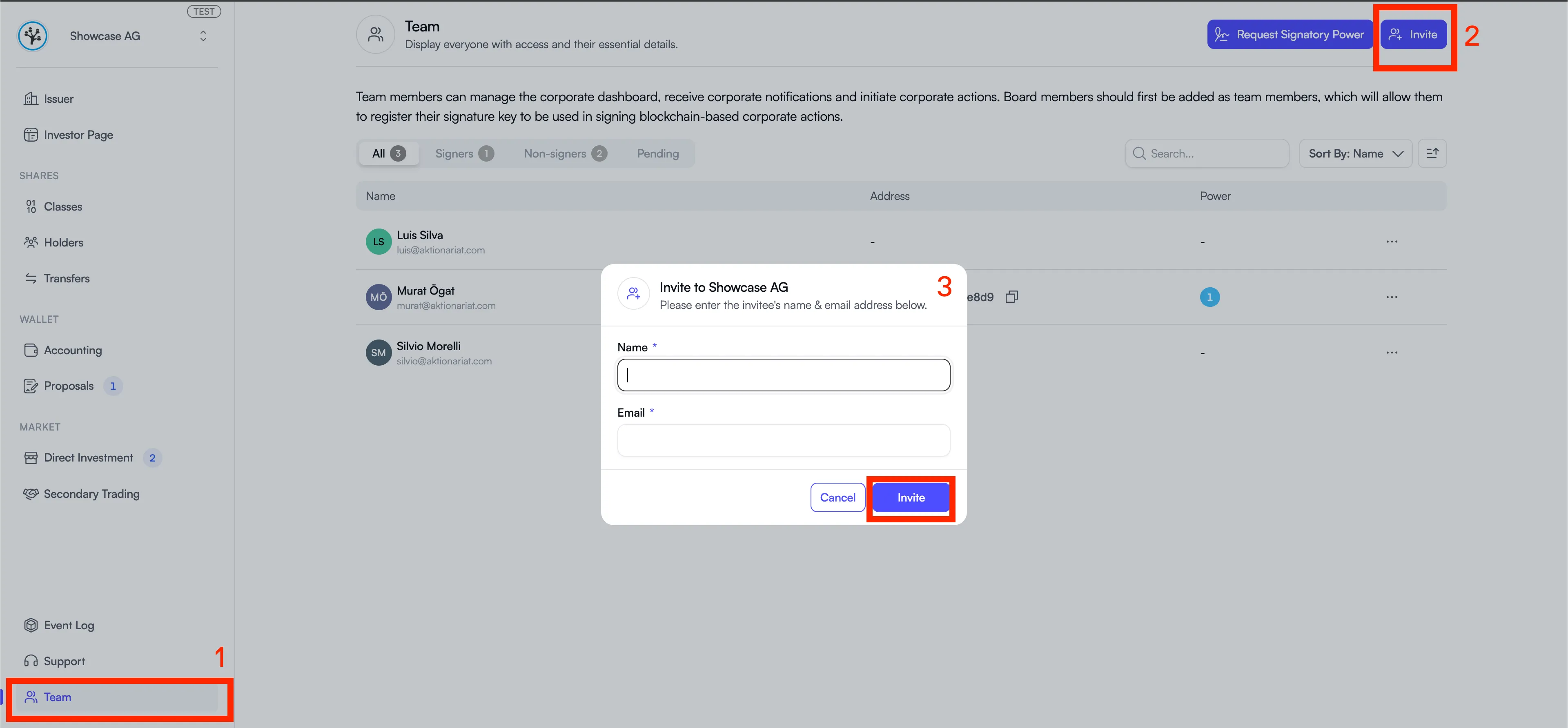
You can grant other people access to your company’s Issuer Portal by navigating to the “Team” tab and clicking “Invite” in the top right corner. The invited person will receive an email with a confirmation link they need to click to complete the process.